Work Duration 2 months | Design Role UI Designer | Design Tool
Sale Fish, is an application company that designs apps and offers technical support for real estate related firms. I had the opportunity to work with them a while ago. And they offer two major services:
Home Searching App
to provide a digital platform to showcase artworks of the new home and new communities.
Builder CRM App
and the document platform is for signing legal documents online.
However, the design of these two platforms have not been updated for some time, it wasn’t mobile responsive, not user friendly, and some of the user-flows did not make sense. Therefore, we decided to re-design these two platforms and make them mobile apps.
HOME SEARCHING APP UI/UX
Pain points
1. If any community updates being published, the flow was: Builder → Sale Fish → brokers → users
2. Users had to go through different tools to complete each stage of the customer lifecycle – searching, negotiating, and purchasing homes. This is not user friendly at all.
3. Users have to view new homes, check communities, check feature & finishes and book a visit tour onto different platforms.
Solutions
1. For users to finish ALL process (searching → checking → visiting → purchasing → signing) in ONE app.
2. Make an app not only check available homes, but also an app to complete entire process of purchasing a home.
Overall
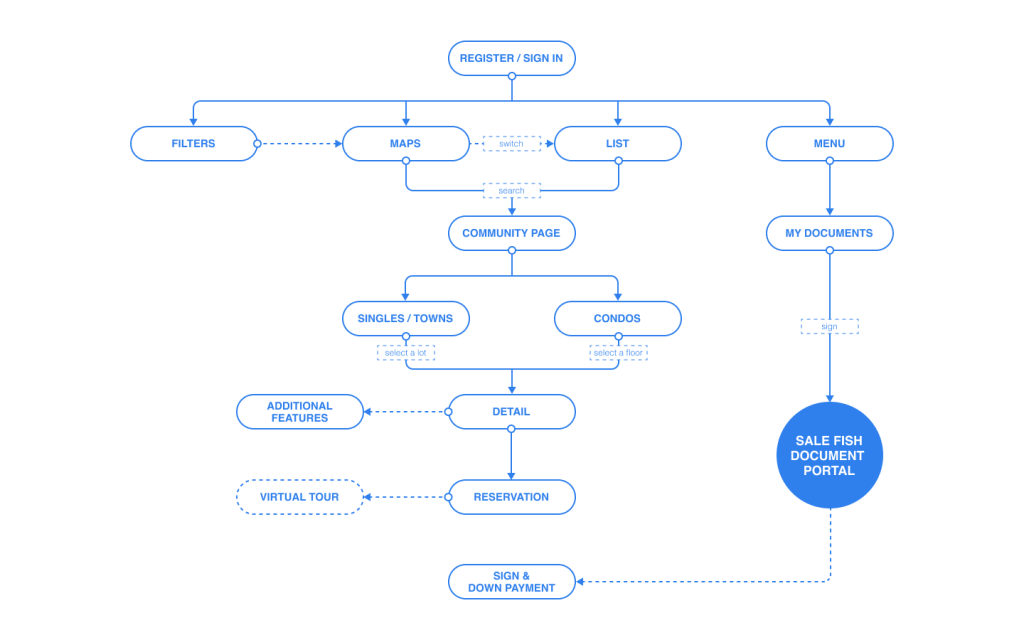
The information architecture not only aims to let users focus on home searching but also to showcase more about the community to give them more flexibility to find their dream home. Therefore, we designed the user flow as Search → Community → Home
Wireframe Map
A Better Home Searching App
The call to action of most real estate apps in the market leads to contact a broker. Communicating with the builder, booking a tour, and signing a contract are usually performed outside of the app. It is definitely not user friendly. Therefore one of our goals is to make the entire process simpler.
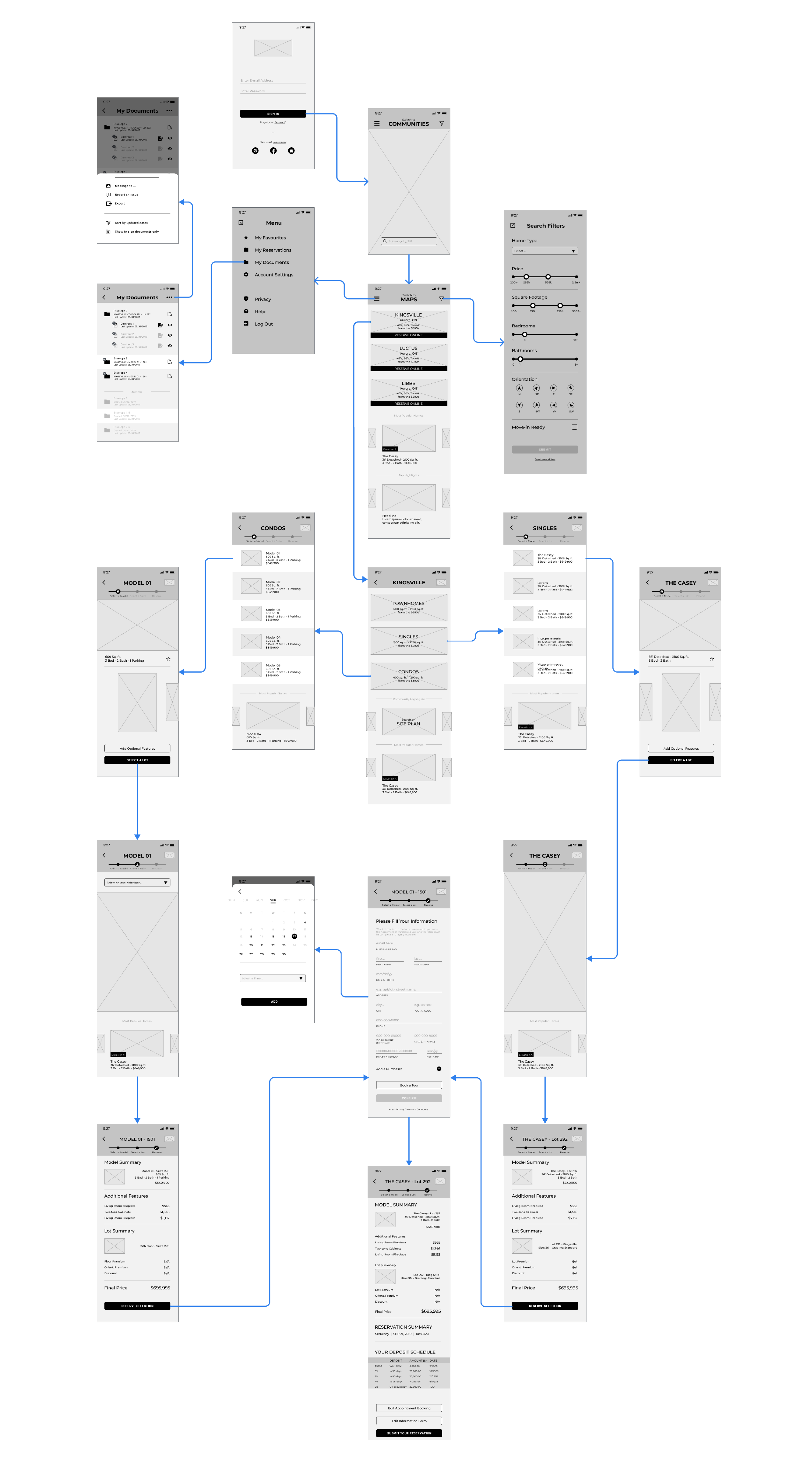
The screens as below:
1. Home List | 2. Home Map | 3. Log-in | 4. Search Filter | 5. My documents | 6. Model | 7. Select a Lot | 8. Model Page | 9. Check Out | 10. Fill Information | 11. Reservation

A Simpler Home Searching Experience
Another huge advantage of Sale Fish app is, all home info managed by builders themselves to deliver to users directly, instead of going through brokers. Therefore, users can check not only the home itself but also the details of the whole community. Therefore, users can customize their future home in the app without contacting a broker to forward your message to the builder.
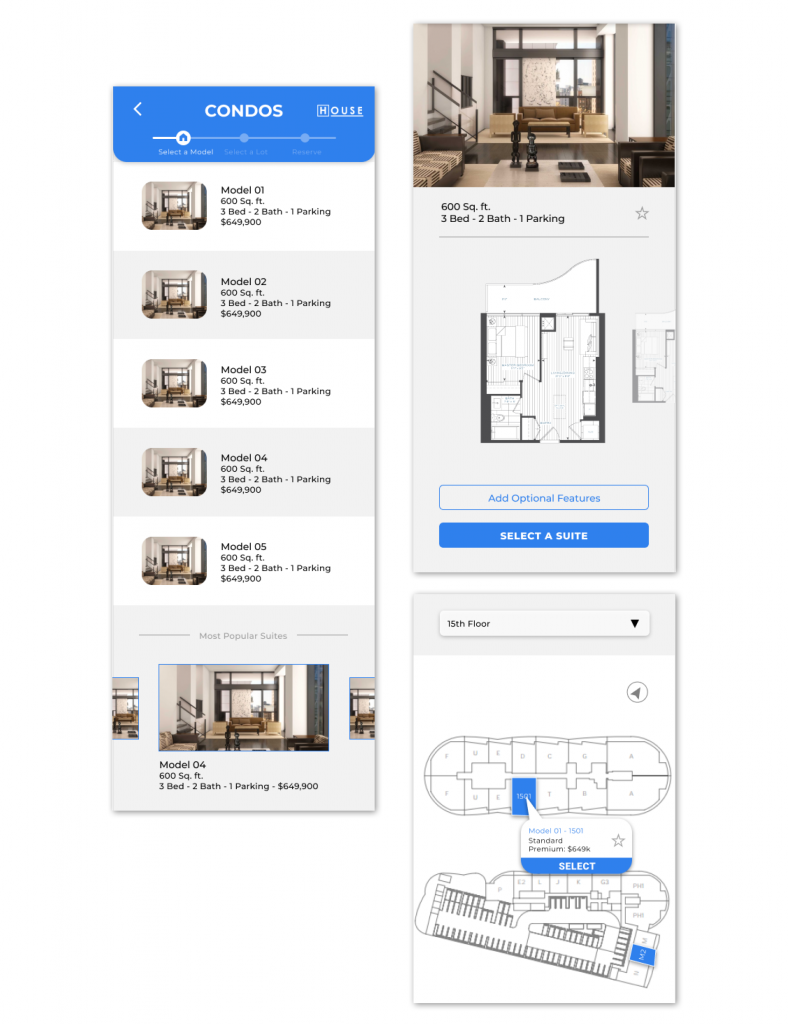
All You Need To Do Just Search And Tap
This app designed is not only for home searching but also for reserving tours and signing legal files. Once you selected a home, instead of contacting a broker, you can decide either to book a tour or to reserve this home. Compared with back and forth communication, this improves the user experience dramatically.

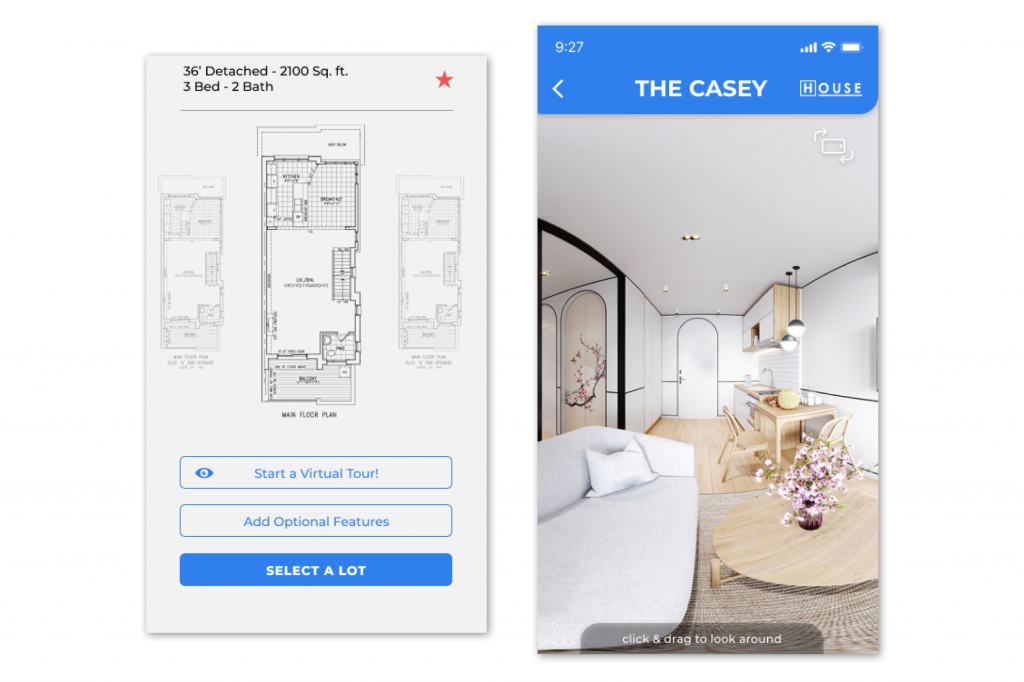
Future Feature – Virtual Tour
Considering of recent COVID-19 situation, instead of an in-person visit, a virtual tour will be more necessary and much safer for future home buyers. Furthermore, it is more convenient to either users and builders because deciding on a date to meet is no longer needed!
DOCUMENT PORTAL UI/UX
Pain points
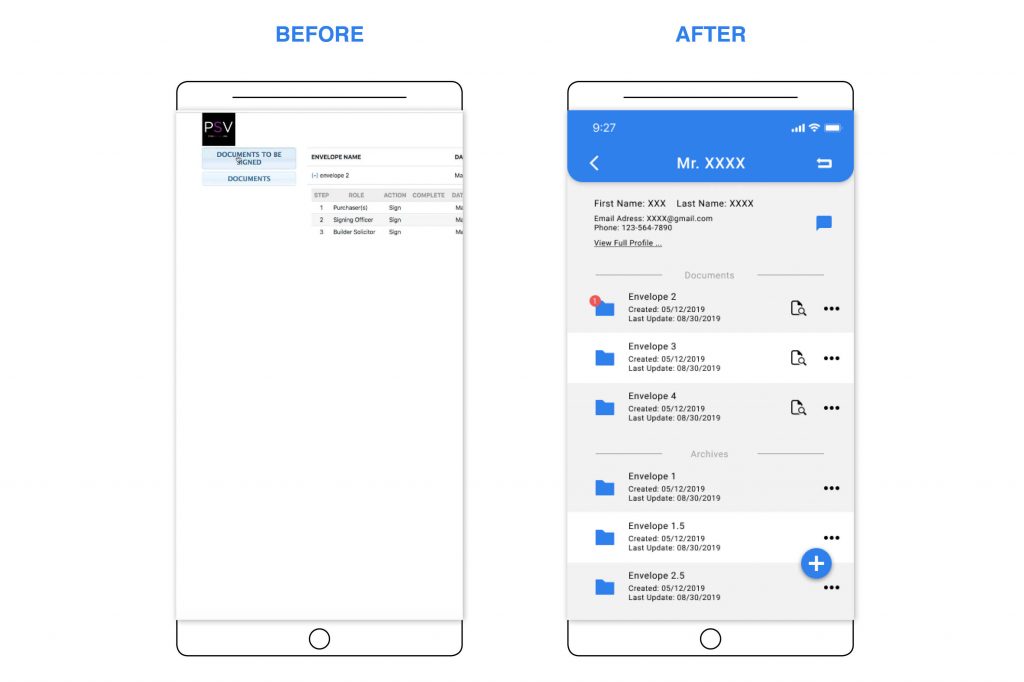
1. When signing legal documents, a contract may have many revisions. The current interface made file management really challenging.
2. Different parties use different communicating tools, this made communication inefficient and very easy to make mistakes.
3. There are many steps and such a mess when the user decides to buy a new home and to sign all legal documents. Solutions for the Document Portal
Solutions
1. Corporate with builders, designers, brokers and signing officers, to simplify whole purchasing process.
2. Create a CMS platform for builders, lawyers and signing officers to manage ALL documents
Overall
After selecting a home, signing documents and book a reservation is another important part for builders. However, each home buyer has their own brokers and different signing officers. Using different tools to sign such important papers, can easily cause confusion to all parties and more room for mistake. Therefore, we re-designed this app as a platform for both builders and signing officers to manage all documents and reservations easily.
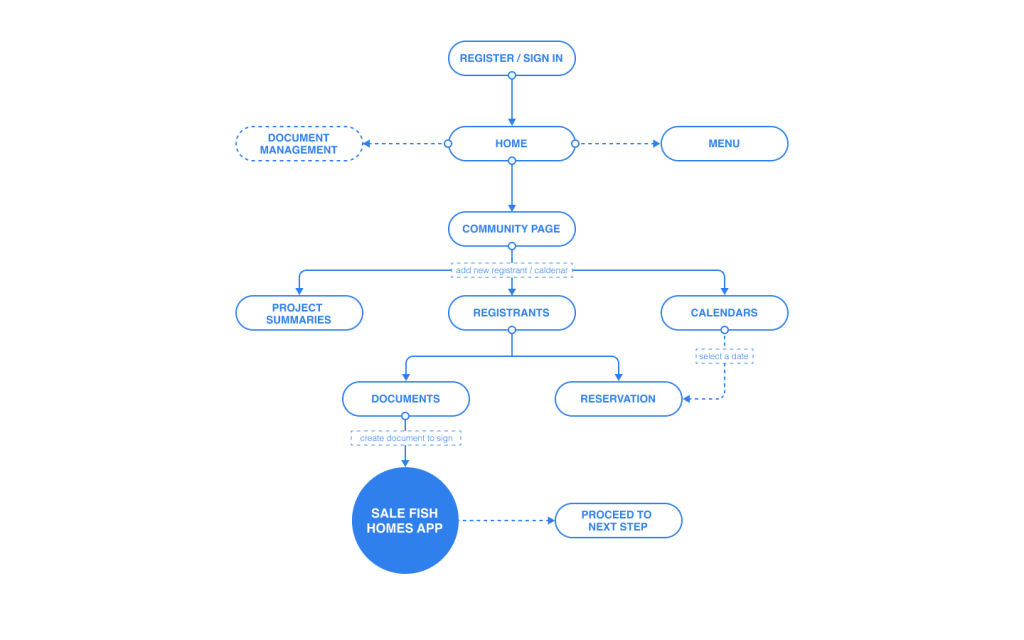
Wireframe Map

A CMS App for Builders, Signing Officers, and Lawyers
The main feature of the document portal is managing documents and reservations. When a user selected a new home, an account will be created on the document portal platform and notify the builder to create documents to sign.
The flow: select home → create legal documents → user to sign → signing officers to sign → lawyers to sign → complete. All will be done in one app.
The main pages as below:
1. Log-in | 2. Community Page | 3. Home Page | 4. Registrants List | 5. Individual Page | 6. Calendar | 7. Individual Page-Edit Action | 8. Signing | 9. Signing Status
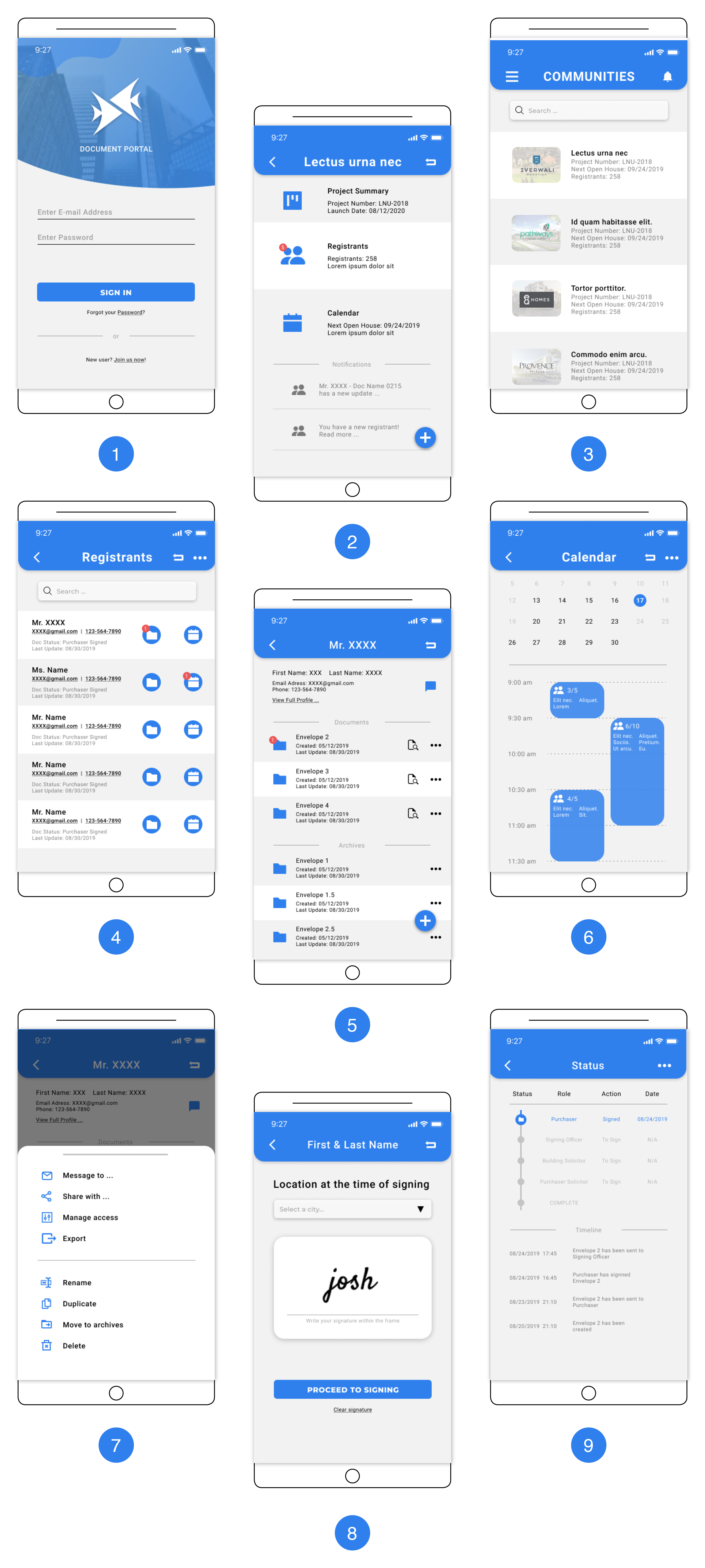
App Features Different Via Users’ Roles
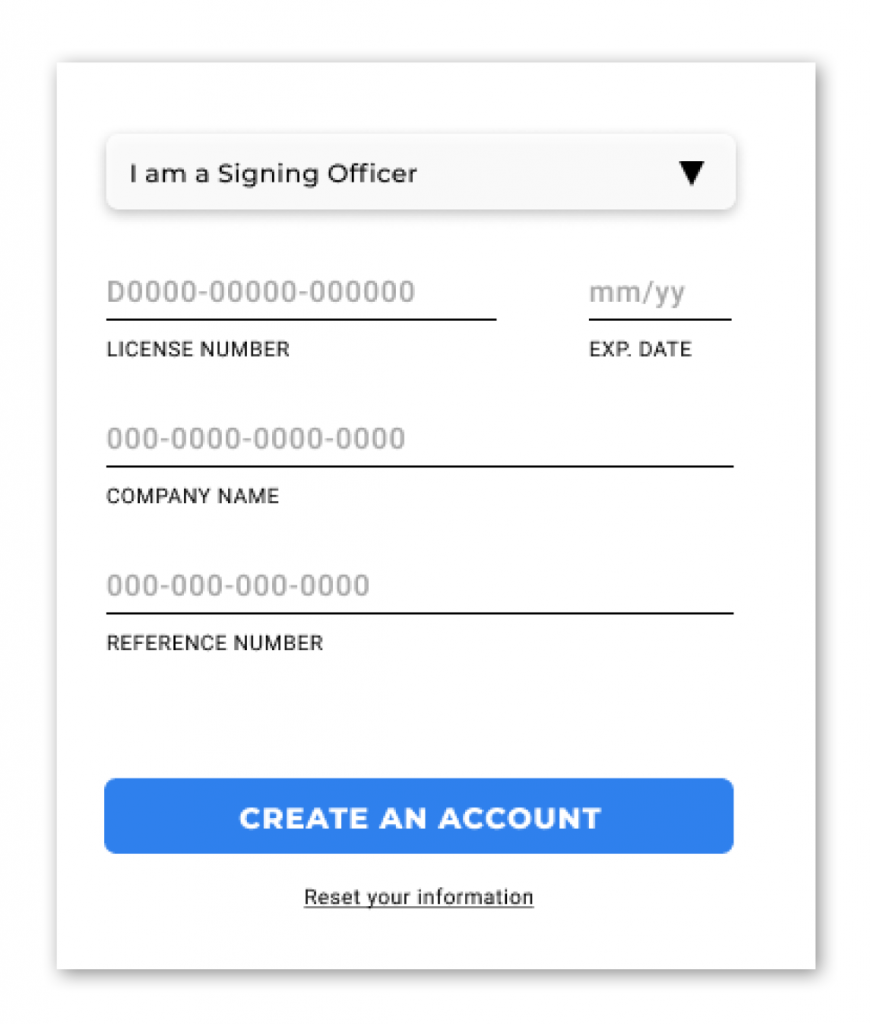
While signing up an account, the user will be asked to select a role. Different roles have access to different features. Such as builders will be able to create/edit registrant information and manage calendar; signing officers on managing and sorting documents; lawyers can only sign documents.
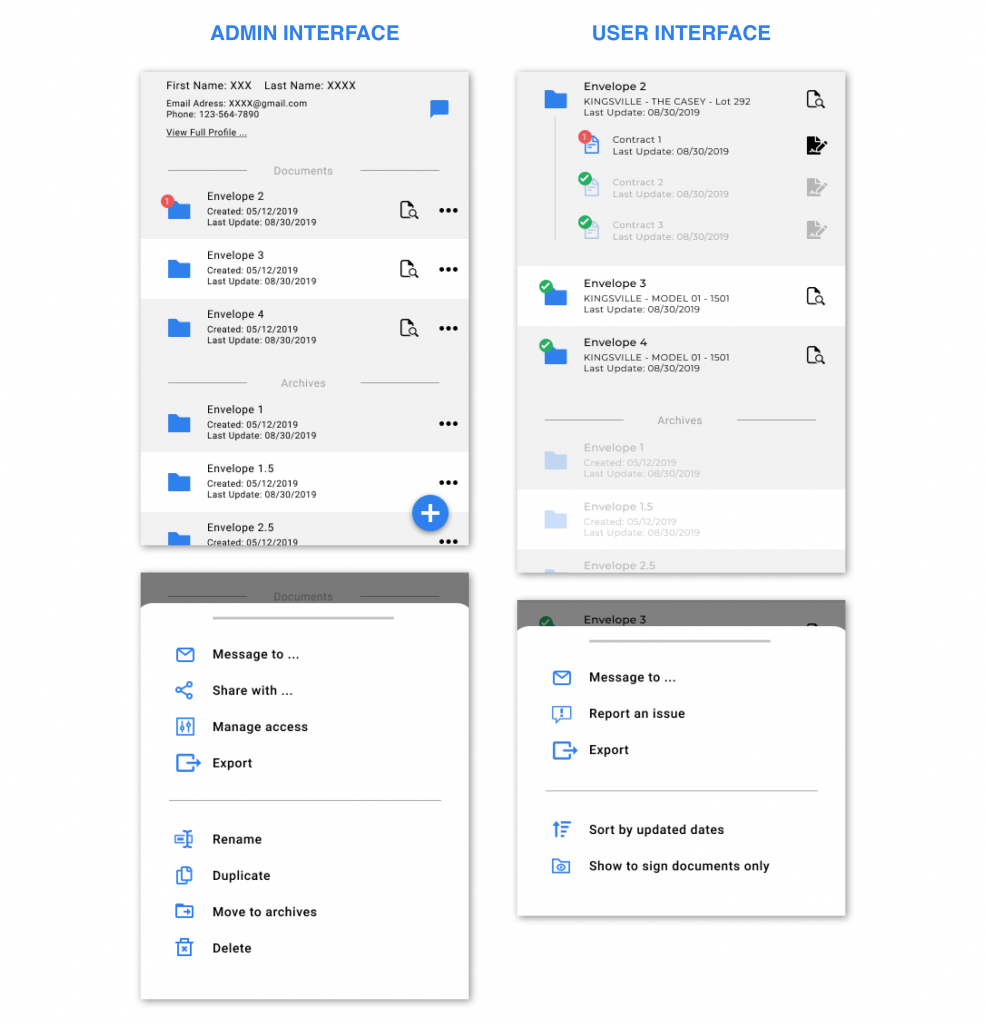
Customized Interface for Different Roles
Based on different roles, the same page will have different features. Such as on the document page below, admin (signing officer) can rename, move, delete files and more actions. For users (or lawyers), the only features are preview and sign.
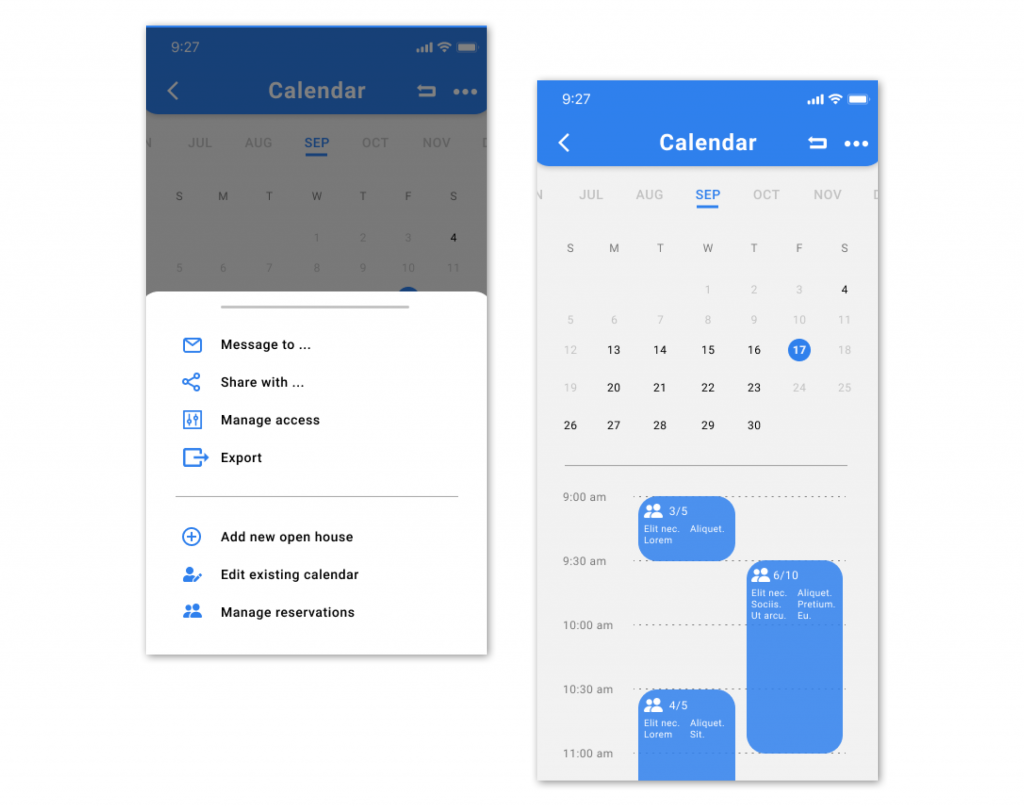
Flexible Editing Feature
The app gives builders an easy and flexible way to upload legal documents and edit available dates for visit tours instead of sending updates to Sale Fish to update.
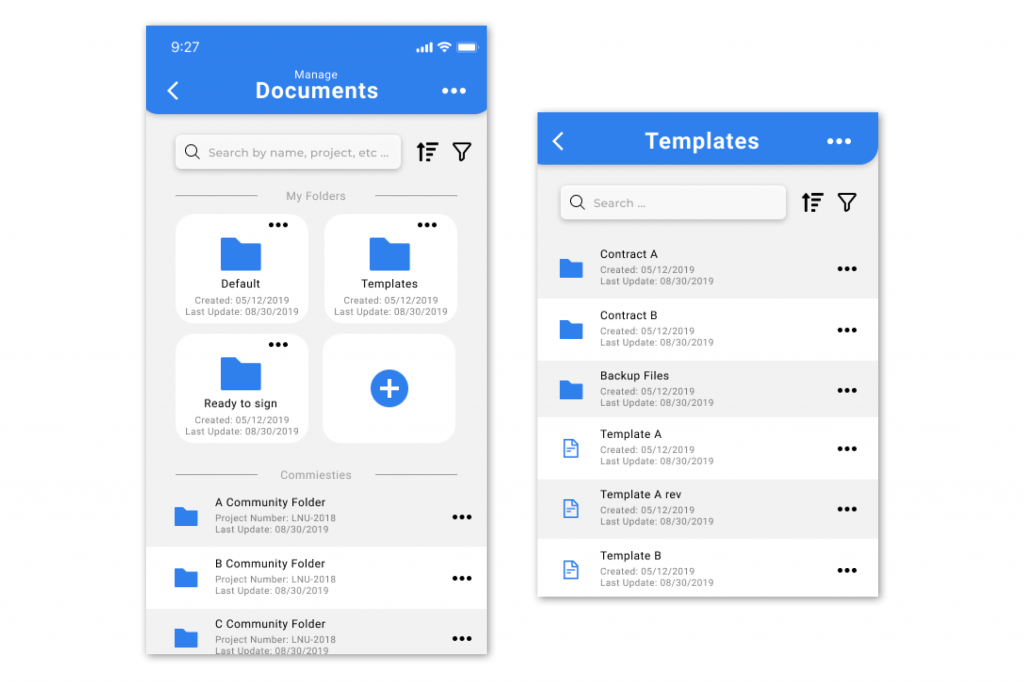
For signing officers, the main feature is document management. The app gives them a flexible way to create folders and move documents to make their work more efficient.
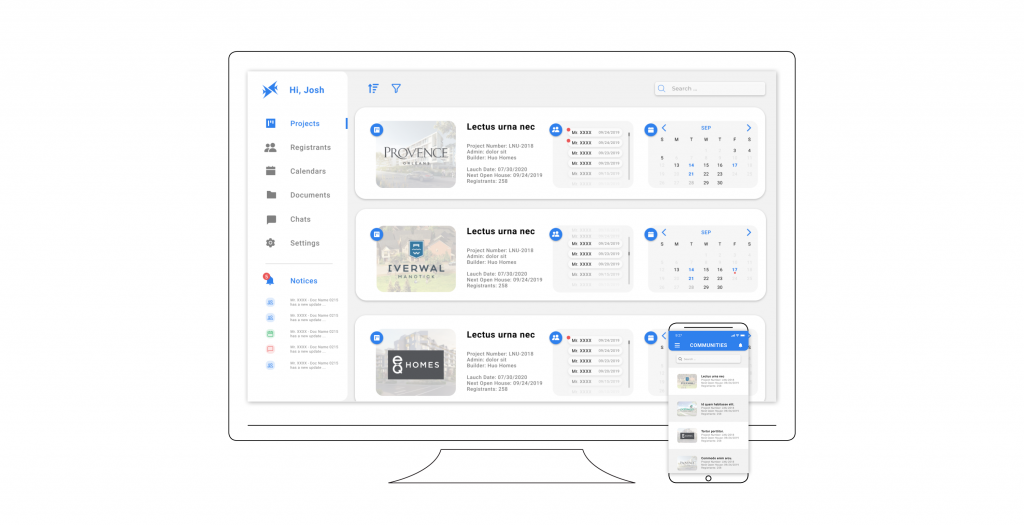
A Responsive Platform
The platform works well on both desktop and app. The desktop version is suitable for builders, signing officers and lawyers, who may spend more of time working in the office instead of outdoors.
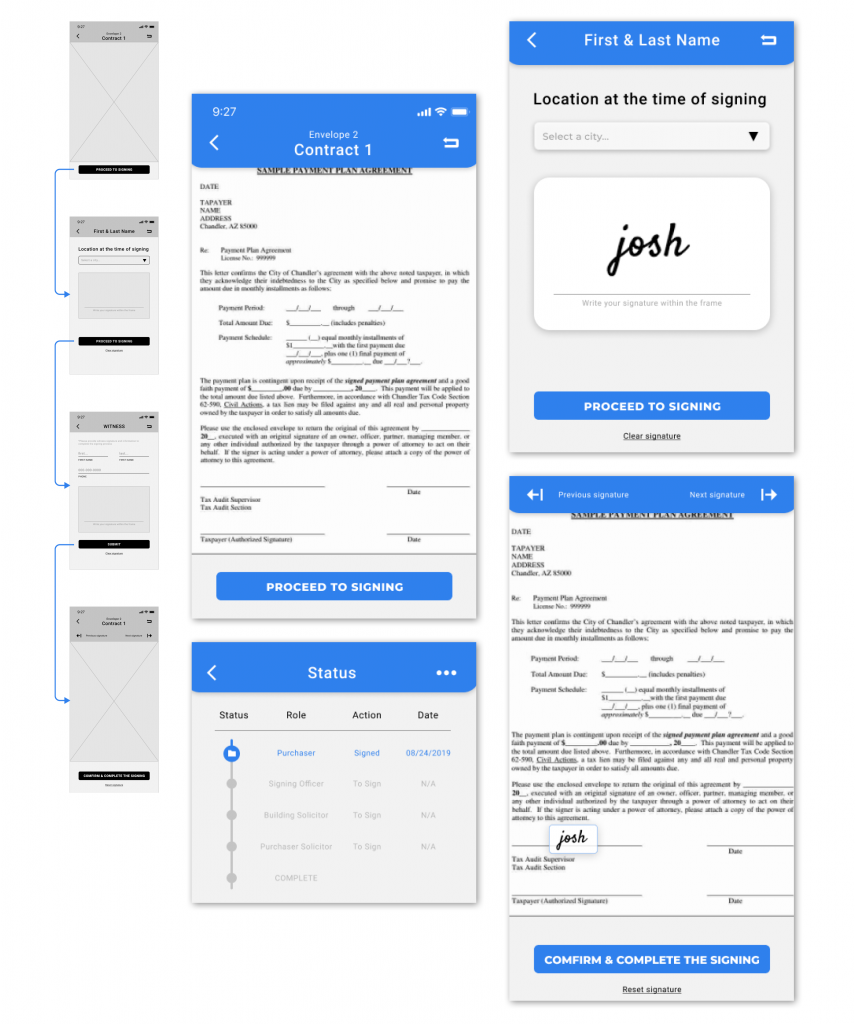
A Major Feature – Signing
Most home searching apps do not have a contract signing feature due to different issues or technical difficulties. However, since Sale Fish has offered online signing and document managing services for a long time, on app signing feature becomes available.
The flow: 1. A user to sign on user app → 2. signing officer to sign on document portal → 3. lawyers to sign on document portal → 4. complete and confirmed by the user from the user app